Disclosure: We build MyClassAdmin, which is one of the tools compared below. We’ve tried to describe every option fairly, and you should confirm details in a live demo.
Choosing online exam proctoring software in India is harder than it looks. Some tools run fully on AI, some rely on human invigilators, and some combine both. They differ in price, privacy handling, and how well they work on a student’s mobile phone and a patchy connection. This guide explains what to look for and compares the main options.
What is online exam proctoring software?
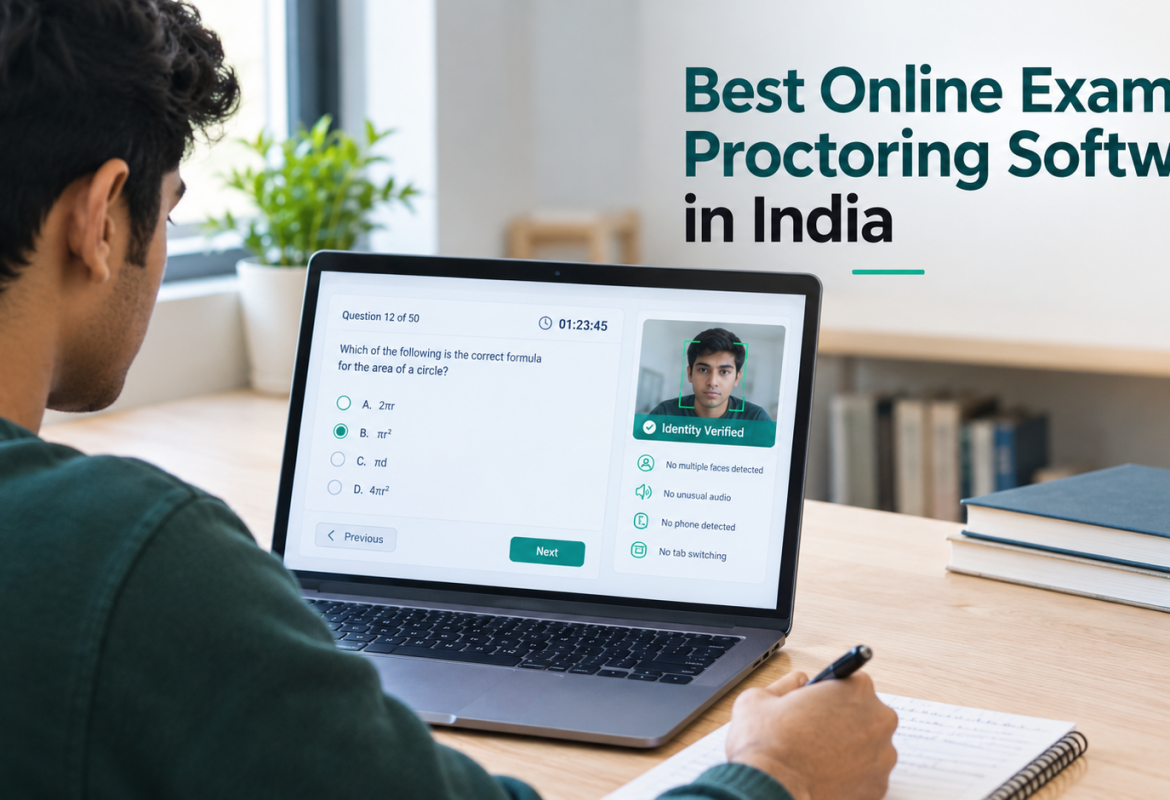
Online exam proctoring software supervises students during a remote exam, using the webcam, microphone, and screen activity. It checks that the right person is taking the test and flags suspicious behavior such as looking away repeatedly, a second voice, extra faces, or tab switching. Institutes use it to conduct exams for distance learning students, for competitive exams or entrance exams. It usually works alongside your online exam software.
The three types of proctoring
| Type | How It Works | Best For |
|---|---|---|
| AI Proctoring | Software automatically monitors candidates and logs potential violations. | Large batches, mock tests, and cost-sensitive exams. |
| Live Proctoring | A human proctor monitors candidates in real time. | High-stakes exams and smaller exam groups. |
| Hybrid Proctoring | AI flags potential incidents for a human proctor to review. | Universities needing both scalability and human oversight. |
Which Type of AI Proctoring Should You Choose?
AI-only proctoring costs less than live proctoring and scales easily to large batches, which makes it a good fit for routine tests and mock exams. Live proctoring suits high-stakes exams, where a person watches in real time. Hybrid proctoring lets the AI flag suspicious behavior and a person review those flags before any action is taken, which lowers the risk of wrongly penalising an honest student. For a deeper look, read our AI vs live proctoring comparison.
How to choose: 8 questions to ask every vendor
- Which proctoring modes are supported? Check for AI, live, and hybrid options, so you can match the mode to the exam.
- How is identity verified? Look for ID photo matching at the start and repeated checks during the exam.
- What does it actually detect? Common checks are gaze, phones or objects, audio, multiple faces, and tab switching.
- Does it work on mobile and low bandwidth? Many students in India don’t have a laptop, and connections drop.
- Who reviews the flags? A flag is not proof of cheating, so there should be a clear human review step before any penalty.
- What reports do you get? Timestamped logs and exportable reports help with audits and disputes.
- How is it priced? Per student, per exam, or per year? Ask for the full cost for your batch size.
Online Exam Proctoring Software in India: Compared (2026)
| Tool | Proctoring Modes | Identity & Detection | Mobile & Internet | Integration |
|---|---|---|---|---|
| MyClassAdmin | Manual, fully automated AI, and threshold-based auto-flagging. | Face and voice verification repeated during the exam. Detects gaze, phones or objects, audio, multiple faces, and tab switching. | Works on mobile. Requires about 1.5 Mbps to start and submit. | Part of the MyClassAdmin platform, including attendance management, exams, and fees. |
| Eklavvya | Manual, AI-assisted manual, or fully AI-based proctoring. | Face detection and browser lockdown. | Offers image proctoring, described as suitable for low-connectivity regions. | Proctoring API for integration with other exam software. |
| Mercer Mettl | AI-based, live human, and record-and-review proctoring. | Secure browser, AI-generated flags, and audio proctoring. | Not stated on the vendor pages reviewed. | Canvas and Moodle integration via LTI. |
| Talview | Automated, live, and record-and-review options. | Face, voice, and ID authentication; multiple-face detection and secure browser. Object detection is listed for automated proctoring. | iOS and Android support is listed for automated proctoring. | LMS integration, including Canvas and Moodle, plus API/LTI. |
| uLearn | Automated AI monitoring with live screen streaming and live chat to guide students. | Blocks copy-paste and keyboard shortcuts; records student video and audio. | Not stated on the pages reviewed. | Can be integrated with an LMS. |
| OctoProctor | AI proctoring, AI-free automated proctoring, and live proctoring. | Optional second camera using a phone to monitor the test area. | Browser-based on Android 4.4+ and iOS 13+. Minimum speed of 256 Kbps; can recover automatically from temporary connection issues. | Cloud version, WebSDK, and API. |
Note: Features and technical requirements are based on the information gathered for this comparison. Check each provider’s latest documentation before making a decision.
Information comes from each vendor’s own website, checked on 19 October 2026. The list is not exhaustive and is not a ranking. Features and pricing change, so please confirm with each vendor. If you spot an error, contact us and we’ll correct it.
Which one should you pick?
- Coaching classes and schools running frequent tests need affordability, mobile support, and an all-in-one platform, so exams, attendance, and fees live together.
- Colleges and universities need audit-ready reports and human review options. A hybrid model is usually safest.
- Recruiters and certification bodies often need strong identity verification and detailed evidence for every candidate.
- Institutes with an existing exam system may prefer a tool that plugs in through APIs rather than replacing everything.
How MyClassAdmin’s AI proctoring works
MyClassAdmin checks identity with face and voice verification before the exam and repeats the check at intervals. During the exam it tracks gaze, detects phones and extra faces, listens for unusual audio, and warns on tab switching. Admins set a violation threshold, so only attempts that cross it are flagged, and they can review timestamped images and audio and export Excel reports. You can see the full feature list on our AI proctoring software page.
Common concerns about AI proctoring
Does AI proctoring wrongly flag honest students?
It can. Poor lighting, a weak webcam, or looking away to think can trigger flags. This is why we recommend setting sensible thresholds and having a person review flagged attempts before any action.
Can
students take proctored exams on a phone?
With MyClassAdmin, yes. Mobile devices are supported, so students without a
computer can still take the exam.
What
internet speed is needed?
MyClassAdmin needs about 1.5 Mbps to start and submit an exam. Minor drops
during the exam don’t stop the student from finishing.
Is AI proctoring better than live proctoring?
It depends on the exam. AI is more economical for large batches, while live or hybrid proctoring suits high-stakes exams.
How do I run a secure online exam for hundreds of students?
Use identity verification, set violation thresholds, run a mock test first, and plan a human review of flagged attempts. Our AI vs live proctoring guide covers this in more depth.
Final checklist before you buy
- Ask for a demo using your own question paper.
- Test it on a phone and on a slow connection.
- Get the data retention and consent policy in writing.
- Confirm how flags are reviewed before any penalty.
- Compare the total cost for your batch size, not just the headline price.
Want to see it in action? Book a free demo of MyClassAdmin’s AI proctoring with your own sample paper.
Sales Enquiries: Vidya +91-9503273330
Technical Support: +91-7775048333
Mail To: info@myclassadmin.com