Walk into any staff room today, and you’ll hear some version of the same conversation. A teacher used ChatGPT to draft a worksheet in ten minutes flat. Another asked an AI tool to generate a quick set of MCQs for tomorrow’s test. Another teacher wonders whether the information in an AI-assisted lesson plan is actually accurate before using it in class.
This is the real state of AI adoption in Indian schools and coaching classes right now — enthusiastic, fast, and mostly unverified.
AI tools are genuinely useful for teachers. They save hours on drafting content, generating question ideas, and summarising chapters. But AI models can also confidently produce wrong dates, incorrect formulas, fabricated case studies, and mismatched difficulty levels — and none of it comes with a warning label. If that content reaches a classroom or an exam paper unchecked, it’s the school’s credibility on the line, not the AI tools.
So, the real question isn’t whether teachers should use AI — most already do. The question is: how do you verify AI-generated content before it reaches a student?
Here’s a practical framework any school, coaching class, or college can start using this week.
Why Verification Can’t Be Skipped
AI tools like ChatGPT or Gemini are built to sound confident, not to be right. This matters more in education than almost anywhere else, for three reasons:
- Factual errors compound. A wrong historical date or an incorrect formula, once taught, is hard to unlearn.
- Exam-level content needs precision. A single ambiguous or incorrect MCQ option can affect an entire batch’s scores and trigger parent complaints.
- Trust is the product. Parents choose a school or coaching class based on academic credibility. One viral screenshot of an AI-generated error is enough to dent that.
The answer isn’t to stop using AI. Instead, every AI-generated resource should go through a simple review process before reaching students — the same way a printed textbook goes through editors before it reaches a classroom.
A 5-Step Verification Process for Teachers
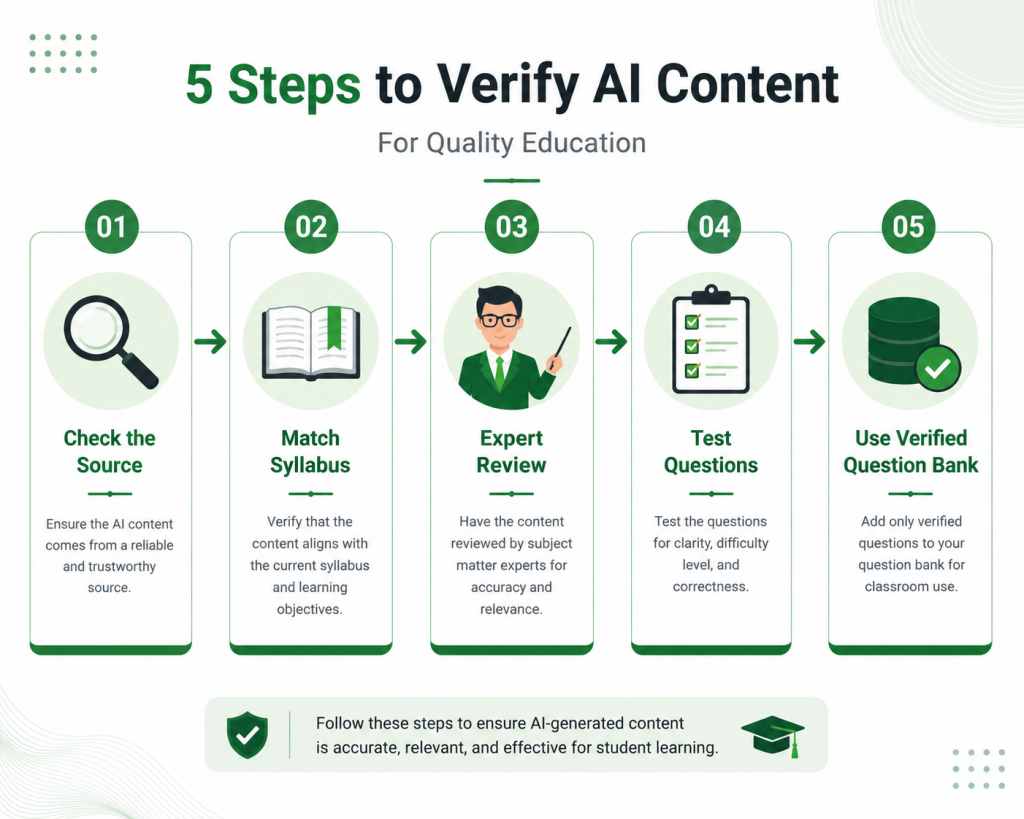
1. Check the Source, Not Just the Answer
Ask the AI tool to cite where a fact, formula, or data point comes from. If it can’t, or the source sounds vague (“various studies show…”), treat that line as unverified. Cross-check against your syllabus textbook, NCERT material, or a subject expert before using it.
2. Match It Against the Official Syllabus
AI tools don’t know your board’s latest syllabus revision. A concept, formula variant, or question format that was valid two years ago may already be outdated for CBSE, State Board, JEE, or NEET patterns. Always compare AI-generated content against the current year’s official syllabus document — not last year’s notes.
3. Run a Subject-Expert Review
Before any AI-generated worksheet or question paper reaches students, have a second teacher from that subject review it. This single step catches the majority of factual and conceptual errors, and it takes far less time than dealing with a wrong answer key after an exam.
4. Test the Questions Yourself
For MCQs and numericals specifically, solve the AI-generated questions yourself before distributing them. AI models frequently generate:
- Questions with more than one technically correct option
- Numerical problems with calculation errors in the “solution”
- Difficulty levels that don’t match the target batch (JEE-level questions mixed into a Class 10 test)
5. Use a Verified Question Bank Instead of Raw AI Output
The safest shortcut isn’t avoiding AI — it’s avoiding raw, unverified AI output for anything exam-facing. Platforms with a pre-verified, expert-curated question bank remove this risk entirely, because every question has already been checked for accuracy and syllabus alignment before it reaches your paper. This is where a tool like MyClassAdmin’s question paper generator is different from typing a prompt into a generic AI chatbot. Instead of generating questions from scratch and hoping they’re correct, you’re selecting from a bank of 5 lakh+ verified questions — including dedicated sets for JEE, NEET, CAT, and CA-Foundation — so the verification step is already done before the paper is created.
A Simple In-Class Example
Say a Class 11 Commerce teacher wants a quick MCQ set on “Trial Balance” for a surprise test.
Unverified route: Prompt an AI chatbot, get 15 MCQs in 30 seconds, print, distribute. Risk: two questions have ambiguous options, one formula is outdated, and there’s no answer key cross-check.
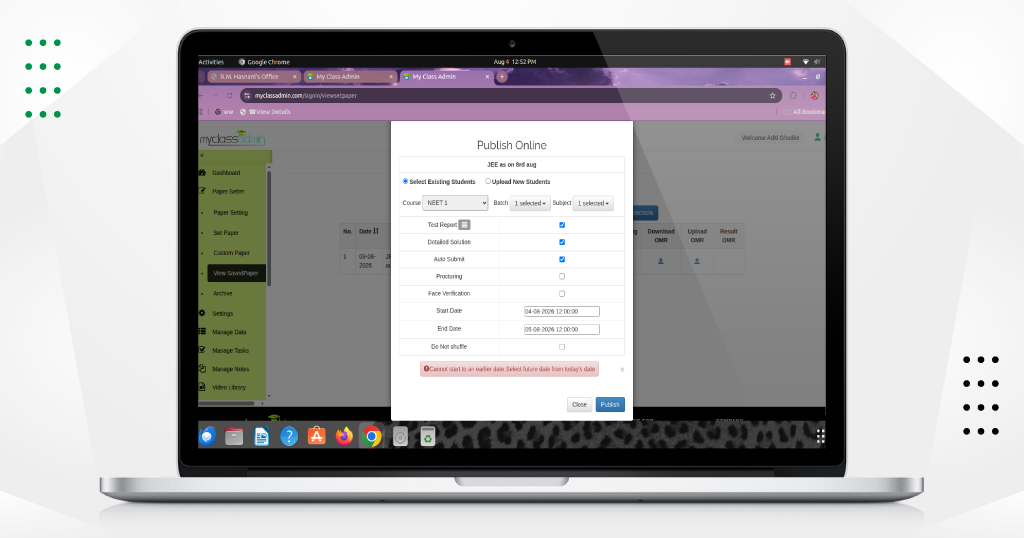
Verified route: Use a question bank tool like MyClassAdmin built for the subject and level, select “Trial Balance” from the chapter list, choose difficulty and question count, and generate a paper where every question is already validated. Time taken: roughly the same. Risk: close to zero.
The speed advantage of AI doesn’t have to come with the accuracy risk — as long as the source generating the content has already done the verification work.
Building a Simple School Policy Around This
You don’t need a 10-page AI policy document. Three lines are enough to start:
- No AI-generated content goes directly into a test or exam without a subject teacher’s review.
- All AI-assisted worksheets must be cross-checked against the current syllabus.
- Wherever possible, use a verified, curated question bank instead of open-ended AI prompts for anything graded.
Print this, pin it in the staff room, and revisit it every term as tools evolve.
FAQs
1. Can AI-generated question papers be used directly for exams?
Not without review. AI-generated papers should always be checked by a subject teacher for accuracy, syllabus alignment, and question ambiguity before being used in a graded exam.
2. What’s the fastest way to verify AI content without adding extra workload?
Use a pre-verified question bank rather than freeform AI prompts for exam content. It removes most of the manual checking because the questions are already reviewed.
3. Is ChatGPT reliable for creating MCQs for competitive exams like JEE or NEET?
It can generate plausible-looking MCQs, but accuracy and difficulty calibration for competitive exams need specialised, syllabus-matched question banks — general AI tools aren’t built for that level of precision.
4. How often do AI tools make factual errors in academic content?
There’s no fixed percentage, and it varies by subject and topic, but errors are common enough that every education body and AI provider recommends human review before classroom or exam use.
5. Should schools completely avoid AI tools for content creation?
No. AI is genuinely useful for drafting, brainstorming, and saving time. The goal isn’t avoidance — it’s adding a verification step before that content reaches students.
6. Who should be responsible for verifying AI-generated content in a school?
Ideally, the subject teacher creating or using the content, with a second-teacher review for anything used in formal assessments.
7. Does MyClassAdmin use AI to generate questions?
MyClassAdmin’s online exam software uses a verified, expert-curated question bank of 5 lakh+ questions rather than raw AI generation, so accuracy checks are built into the content itself, not added afterward.
The Takeaway
AI isn’t going away from classrooms, and it shouldn’t. But speed without verification is a risk no school can afford to take with exam content. Build a simple review habit, lean on verified question banks wherever possible, and let AI handle the drafting — while your teachers and trusted tools handle the accuracy.
Want a verified question bank instead of unverified AI output for your next test? Book a Free Demo with MyClassAdmin and see how our question paper generator and online exam software keep your content accurate, syllabus-aligned, and ready in minutes.
About MyClassAdmin
MyClassAdmin is a School and Coaching Institute Management Software built for educational institutions across India. From student attendance and fee management to homework, report cards, and parent communication, it brings the everyday administrative work of schools and coaching centres into one connected platform, helping administrators and teachers spend less time on paperwork and more time on students.
Sales Enquiries: Vidya — +91-9503273330
Technical Support: 91-7775048333 | mailto: info@myclassadmin.com
Want to see how digital attendance works in your school? Schedule a free demo of MyClassAdmin and experience hassle-free attendance management